Branding
Brand images with your logo and colors.
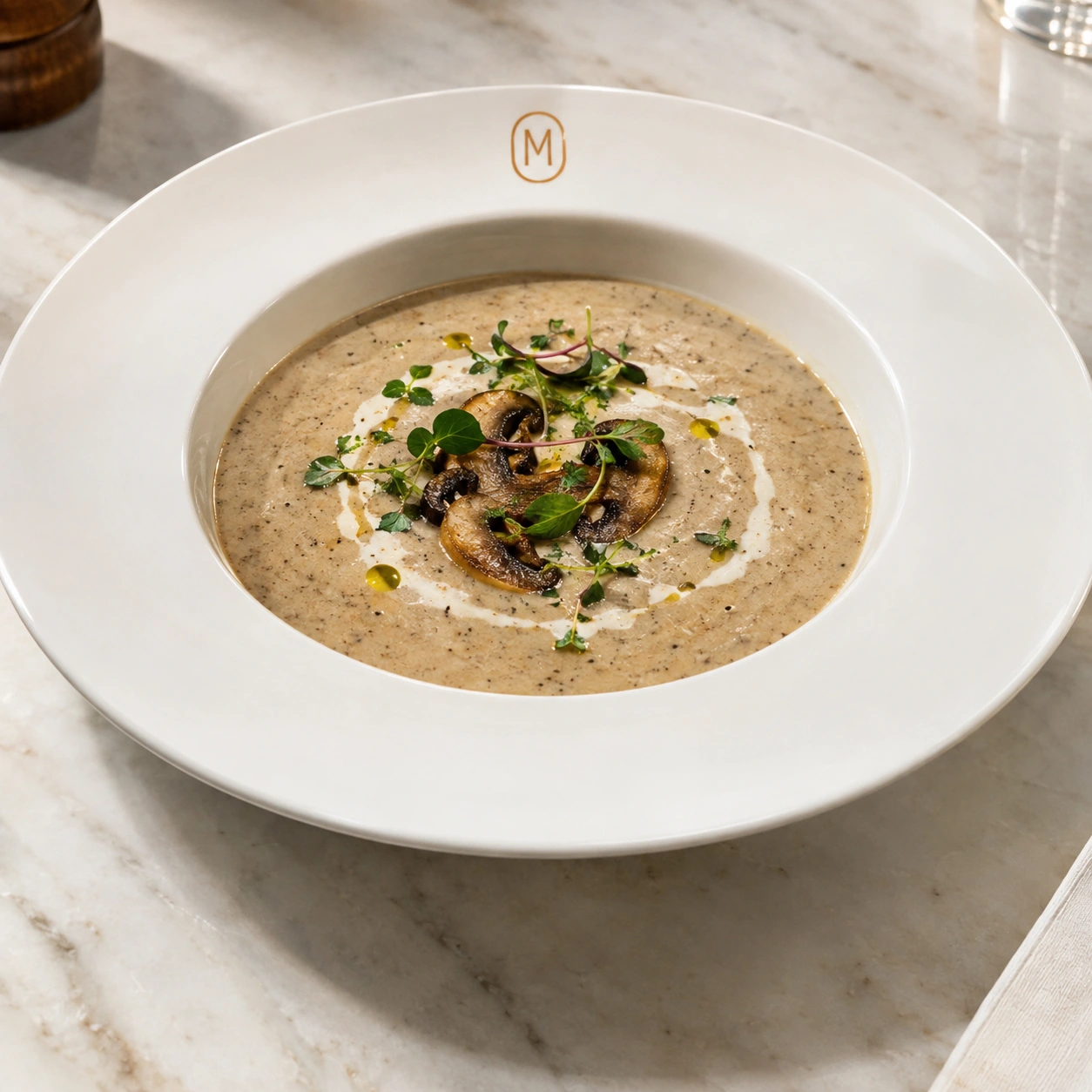
Keep your food recognisable while adding your restaurant identity to suitable objects around it.
1. Add your brand in Account Settings
Open Brand Settings, choose your brand color, and upload an optional company logo. Use a clear PNG, JPG, WebP, or SVG file no larger than 5 MB. Your settings save automatically.
2. Enable branding
Turn on Enable branding. This feature is available on Pro and Scale. Your logo and color can be applied to suitable non-food objects in eligible generations, such as tableware or packaging; they are not intended to recolor the dish itself.
3. Generate a food visual
Use Create / Edit or Compose with your source photos and a clear prompt. Branding settings are applied separately from your visible prompt. Describe the desired scene and avoid asking for logos on the food itself.
4. Review the result
In the example, the copper M appears on the bowl rim while the mushroom soup remains the subject. Check logo legibility, placement, color, and whether the dish is still represented accurately. Generated logo placement is not guaranteed to be exact.
5. Download before expiry
Generated images and saved Library work expire after 10 days. Download approved results for menus, delivery listings, social posts, and campaigns before they are deleted.
Try Branding with your own food photos.
Open Umami AI